OFFLINE PASSWORD MANAGER

Your passwords.
Only on your phone.

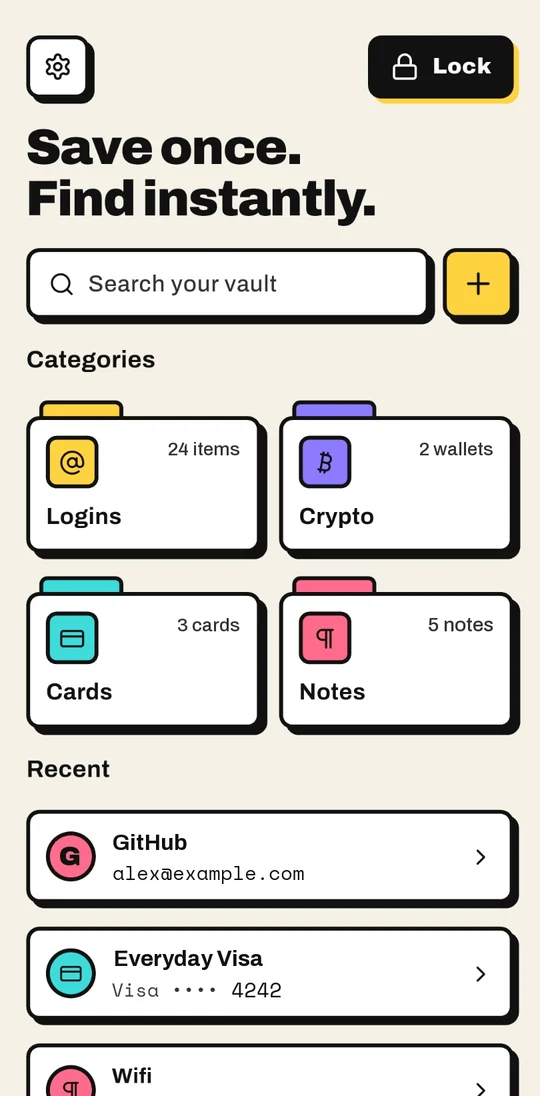
Passbrick keeps every login encrypted on your Android phone. It fills them in for you, shows your 2FA codes, and never goes online, because it has no internet access at all.

No internet permission No account No ads
FILL LOGINS EVERYWHERE

Tap a field. Your login is there.

Passbrick plugs into Android's own autofill, and has a fallback for every app that doesn't play along.

Autofill in apps and browsers

Your saved login appears above the keyboard. Works in apps, and in Chrome or Brave once you point them at Passbrick.

A keyboard for stubborn apps

Some apps hide their fields from autofill. Switch to the Passbrick keyboard, pick a login, and it types it in.

From the text menu

Select text in any field and choose Passbrick to put your username, password or 2FA code in its place.

Strong passwords on sign-up

New account? Passbrick offers a strong password right on the form, and saves the login as you sign in.

2FA codes built in

Scan the QR code once. Passbrick shows the live 6-digit code with a countdown, ready to copy.

Copy buttons, just in case

If a field stays empty after filling, copy your username, password or code from a notification that clears itself.

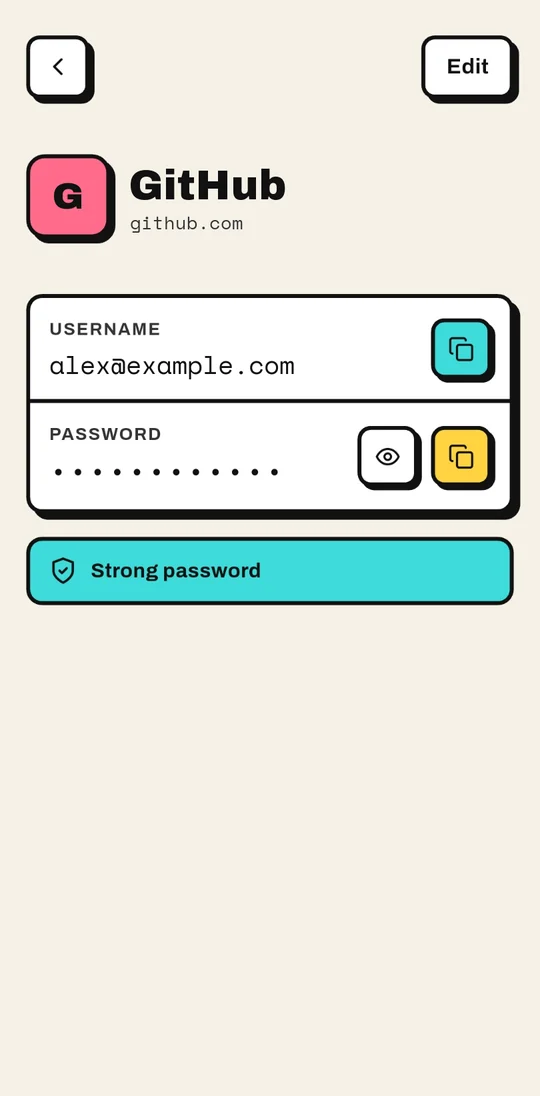
A GitHub login in Passbrick with a strong password
LOGINS · FREE

Every login, strong and ready.

  • Copy the username or reveal the password with a tap
  • See at a glance whether a password is weak
  • Logins, autofill and 2FA are free, with no limits
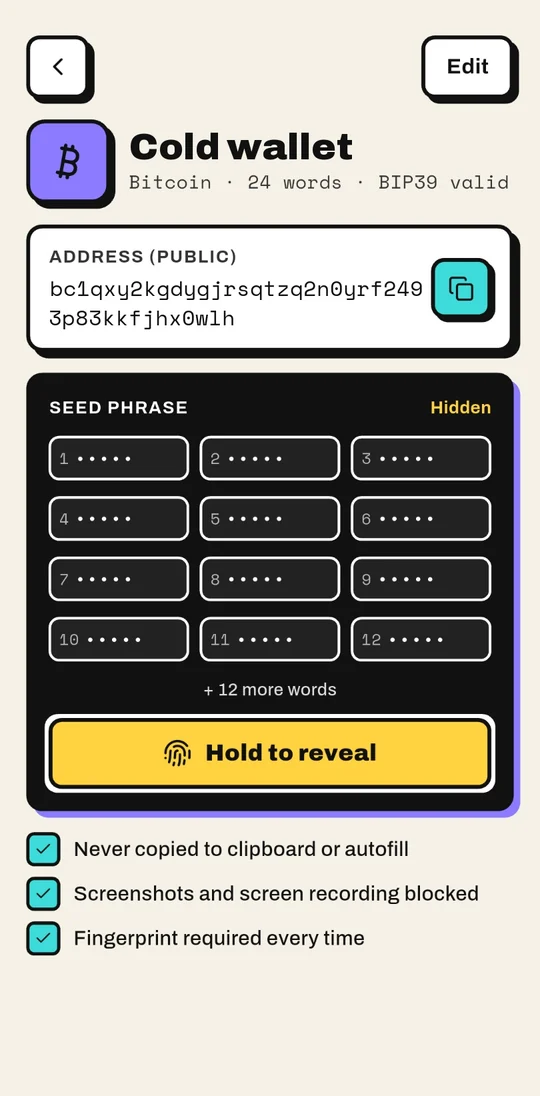
A crypto wallet in Passbrick with its seed phrase hidden
CRYPTO · PREMIUM

Seed phrases, under a second lock.

  • Hidden until you hold to reveal and confirm with your fingerprint
  • Never copied to the clipboard and never offered to autofill
  • The public address stays one tap away
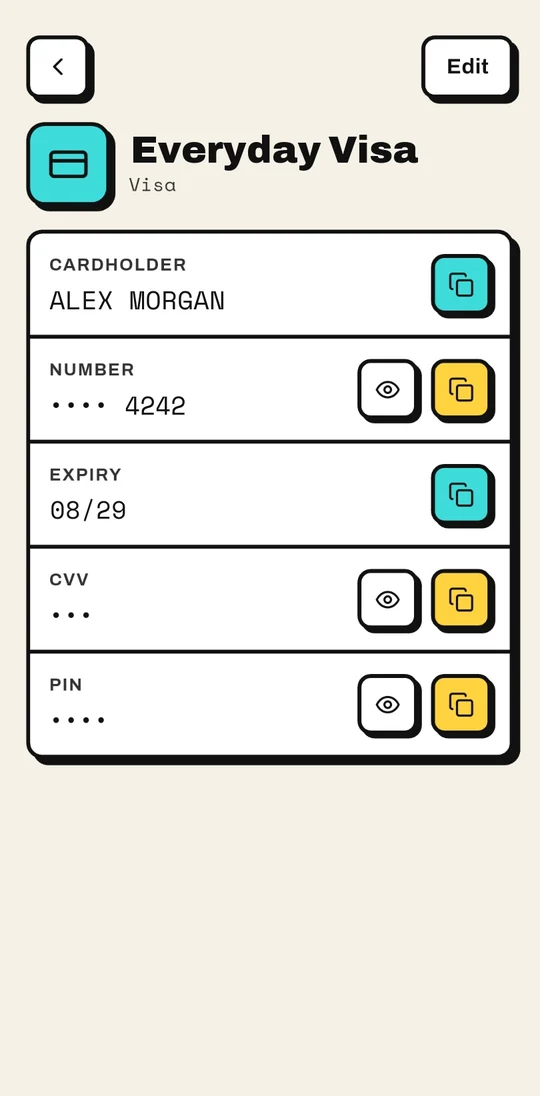
A payment card in Passbrick with its number masked
CARDS · FREE

Cards, masked until you need them.

  • Card number, CVV and PIN stay hidden until you tap the eye
  • Everything in the same encrypted vault
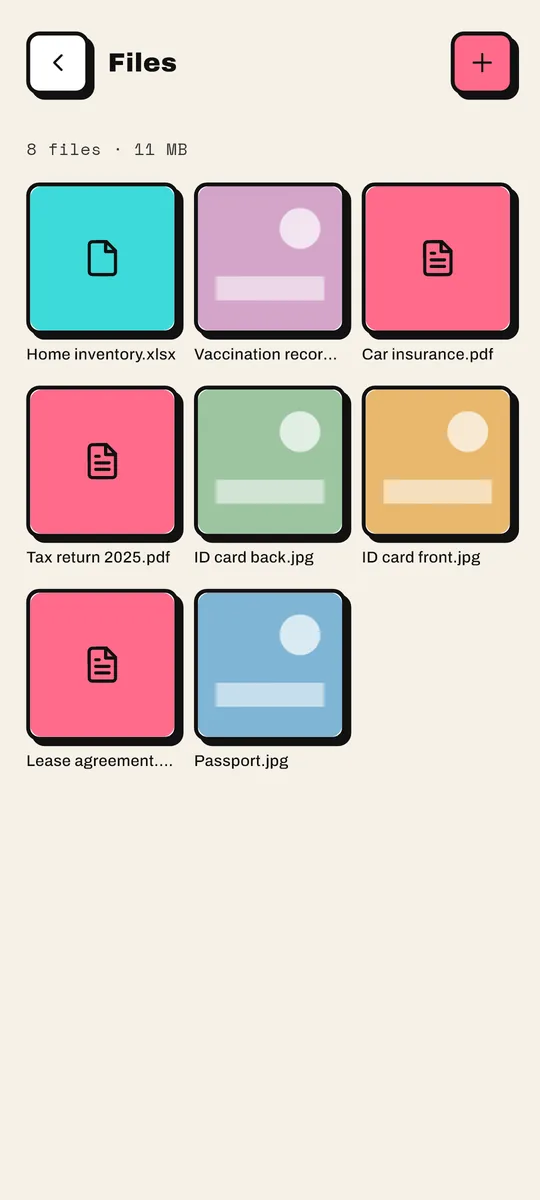
Encrypted photos and documents in Passbrick Files
FILES · PREMIUM

Photos and documents, out of your gallery.

  • Passport scans, contracts, any document, up to 500 MB each
  • Each file encrypted on the phone with its own key
  • Add with + or share from any app, then delete the originals
  • Share, open or download a copy, with a clear warning first
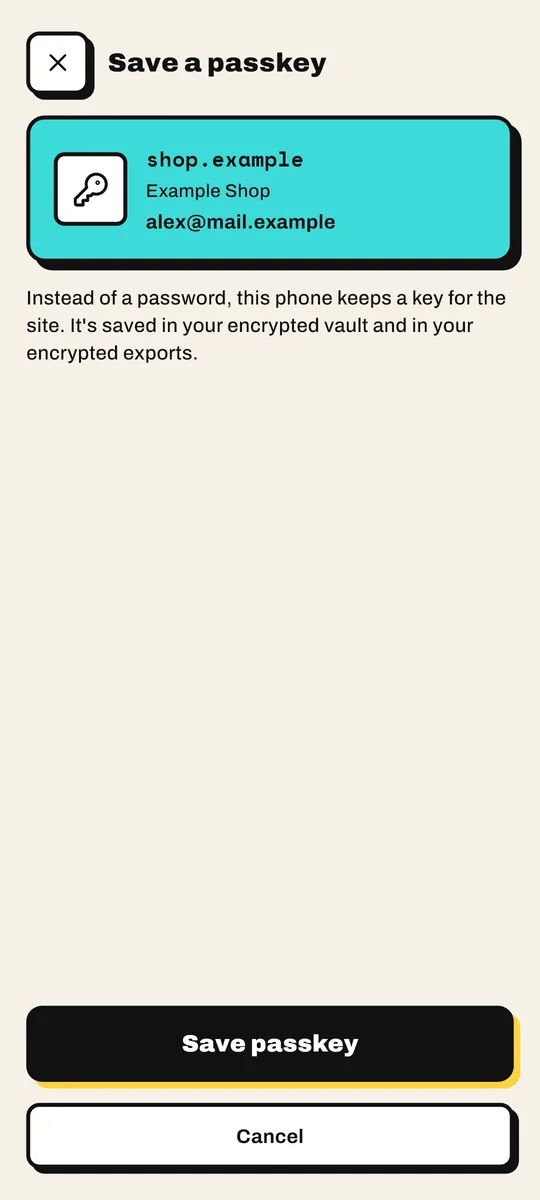
Saving a passkey in Passbrick
PASSKEYS · FREE

Passkeys, kept in your vault.

  • Choose Passbrick when a site offers a passkey (Android 14+)
  • Unlock first, every time
  • In your encrypted vault and your encrypted backup
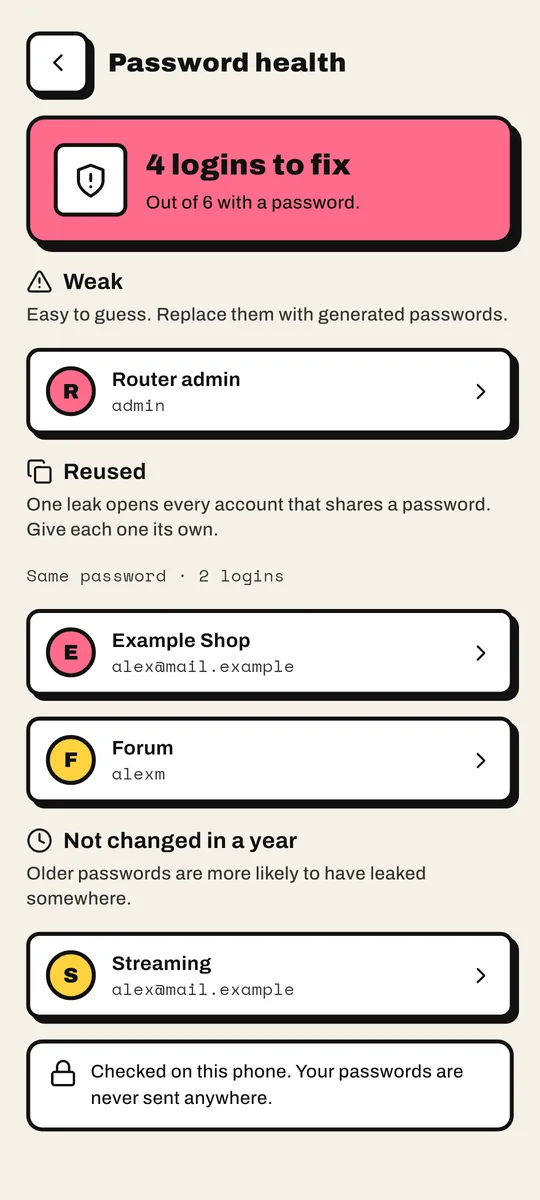
Password health listing weak, reused and old passwords
PASSWORD HEALTH · FREE

See which passwords to fix first.

  • Weak, reused and year-old passwords, in one list
  • Checked on your phone, never sent anywhere
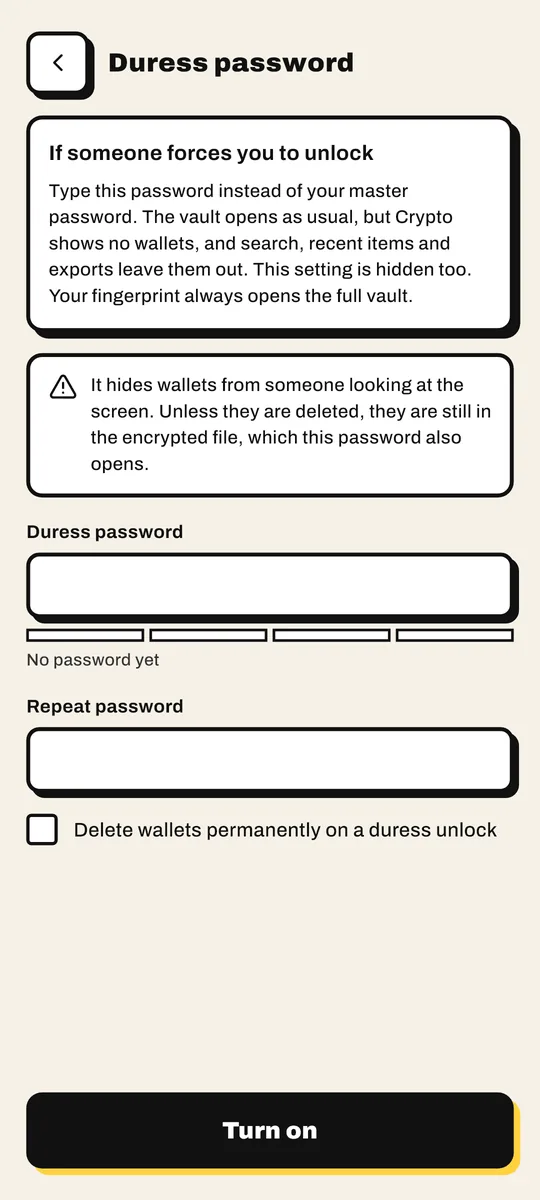
Setting up a duress password in Passbrick
DURESS · PREMIUM

A second password for bad days.

  • Type it instead of your master password
  • The vault opens with your crypto wallets hidden, or deleted if you choose
  • Your fingerprint always opens the full vault
BUILT LIKE A VAULT

Nothing to hack in the cloud.
Because there isn't one.

Passbrick doesn't have Android's internet permission, so it can't send your data anywhere, not even by mistake.

01

Modern encryption

XChaCha20-Poly1305, with the key derived from your master password by Argon2id.

02

No stored master password

It's never saved anywhere. Without it, the vault can't be opened, not even by us.

03

Fingerprint, done right

Backed by Android Keystore. Change your fingerprints and the link is cut.

04

Locks by itself

After 5 minutes away. Screenshots, screen recording and the recent-apps preview are blocked.

05

Clipboard that forgets

Copied secrets are marked sensitive and cleared after 30 seconds.

06

No cloud backup

Android backup is off for Passbrick. Your vault stays on this phone.

07

Autofill on your terms

Nothing reaches a field until you pick a login. No accessibility service.

08

One encrypted backup

A single .passbrick file, sealed with a password you choose, with your files inside. No key is built into the app.

09

Files with their own keys

Every photo and document is encrypted on the phone with its own key, shown only in memory, never in your gallery.

10

Passkeys stay put

Passkeys are made on your phone after you unlock, and kept inside the encrypted vault.

11

A duress password

Forced to unlock? A second password opens the vault with your crypto wallets hidden.

12

Nothing leaves unannounced

Sharing or saving a file out warns you first that the copy is not encrypted.

The honest part

Because nothing is stored online, Passbrick can't recover a forgotten master password, and your vault doesn't sync between devices. Make an encrypted export now and then and keep it somewhere safe.

MOVE IN IN MINUTES

Bring your passwords with you.

Import an export from the password manager you use today. Nothing in your vault is replaced, and duplicates are skipped.

Bitwarden 1Password LastPass Chrome KeePass (.kdbx) Passbrick backup
COMPARE

How Passbrick is different.

Cloud password managers are a good choice if you need sync. Passbrick is for people who'd rather their vault never left the phone.

PassbrickBitwardenProton Pass
Where your vault livesOnly on your phoneBitwarden's cloudProton's cloud
Account neededNoYesYes
Built-in 2FA codesFreePremiumPass Plus
Sync between devicesNoYesYes
Open sourceNoYesYes
Paid plan, per year$12$19.80$35.88

Checked November 2026 on bitwarden.com/pricing and proton.me/pass/pricing. Prices are for one person, billed yearly, in USD; Proton's is its current discounted rate.

PRICING

Free for everyday secrets. Forever.

Free

$0
  • Unlimited logins and cards
  • Autofill, keyboard and text menu
  • 2FA codes and passkeys
  • Password health check
  • Fingerprint unlock
  • Import and encrypted export

Premium

Extra protection for what matters most:

Crypto wallets Encrypted files & photos Duress password Disguised app icon
$1.50
per month
BEST VALUE
$12
per year
$29
once, for life

Bought through Google Play, which shows the price in your currency. Premium comes back by itself on a new phone signed in to the same Google account.

FAQ

Good questions.

Is it safe?

Your vault is encrypted with XChaCha20-Poly1305 under a key derived from your master password with Argon2id, and the app has no internet access, so there's no server to breach and nothing leaves your phone. Passbrick hasn't had an independent security audit yet; until then, that's the one thing we can't claim.

What if I lose my phone?

Your vault stays locked behind your master password or fingerprint, and it locks itself after 5 minutes. To get your passwords onto a new phone, keep a recent encrypted export somewhere safe: there's no cloud copy.

I forgot my master password. Can you reset it?

No. It's never stored anywhere, which is exactly why nobody else can open your vault. Without it, the vault can't be opened, so choose one you'll remember.

Does it work in Chrome?

Yes. In Chrome (and Brave), open Settings, then Autofill services, and choose "Autofill using another service". Passbrick walks you through it when you set it up.

Does Passbrick need the internet for anything?

No. Even buying Premium goes through the Google Play app, which does the networking itself. Passbrick never asks for internet access.

I changed phones. How do I get Premium back?

Sign in with the same Google account and install Passbrick. Premium comes back by itself; there's also a Restore purchase button in Settings.

How do I back up my vault?

Open Settings, then Import & export, and save an encrypted .passbrick file with a password you choose. Keep it somewhere safe, such as a USB stick or your own cloud drive: without the export password it's unreadable. Passbrick reminds you when your last backup is getting old. Your Files are inside the same .passbrick file, still encrypted, so one backup brings everything back.

Can I hide photos from my gallery?

Yes, with Premium. Share photos or documents to Passbrick, or add them in Files. Each file is encrypted in Passbrick's private storage, where the gallery and other apps can't see it, up to 500 MB per file. Once a file is safely encrypted, Passbrick offers to delete the original; for gallery photos Android asks you to confirm, and anything it can't delete is named so you can remove it yourself. You can still share, open or download a copy later, after a warning that the copy isn't encrypted. Videos aren't supported yet.

What's in Premium?

Logins, cards, autofill, 2FA codes and passkeys are free with no limits. Premium adds crypto wallets with a second lock on seed phrases, encrypted Files for photos and documents (also as attachments on logins and cards), a duress password that opens the vault with wallets hidden, and a disguised app icon. It pays for the work and keeps Passbrick free of ads and trackers.

Does it support passkeys?

Yes, on Android 14 and later, for free. When a site offers a passkey, choose Passbrick. You unlock first, and the passkey is kept in your encrypted vault and backups. Passwords keep working alongside it.

Does it sync between my devices?

Not yet. Passbrick is built to keep your vault on one phone. Move it with an encrypted export and import.
WHO MAKES IT

One developer. No investors.

Passbrick is made by Viktor, an independent developer in Serbia. There's no company selling your data behind it, no investors waiting for growth, and no server that could leak.

Questions, bugs or ideas? Write to vmzavas@gmail.com. Every email is read by the person who wrote the code.

ANDROID

Lock your passwords in a brick.

Passbrick is free on Google Play. Install it and your vault is ready in a minute.